
Turfs
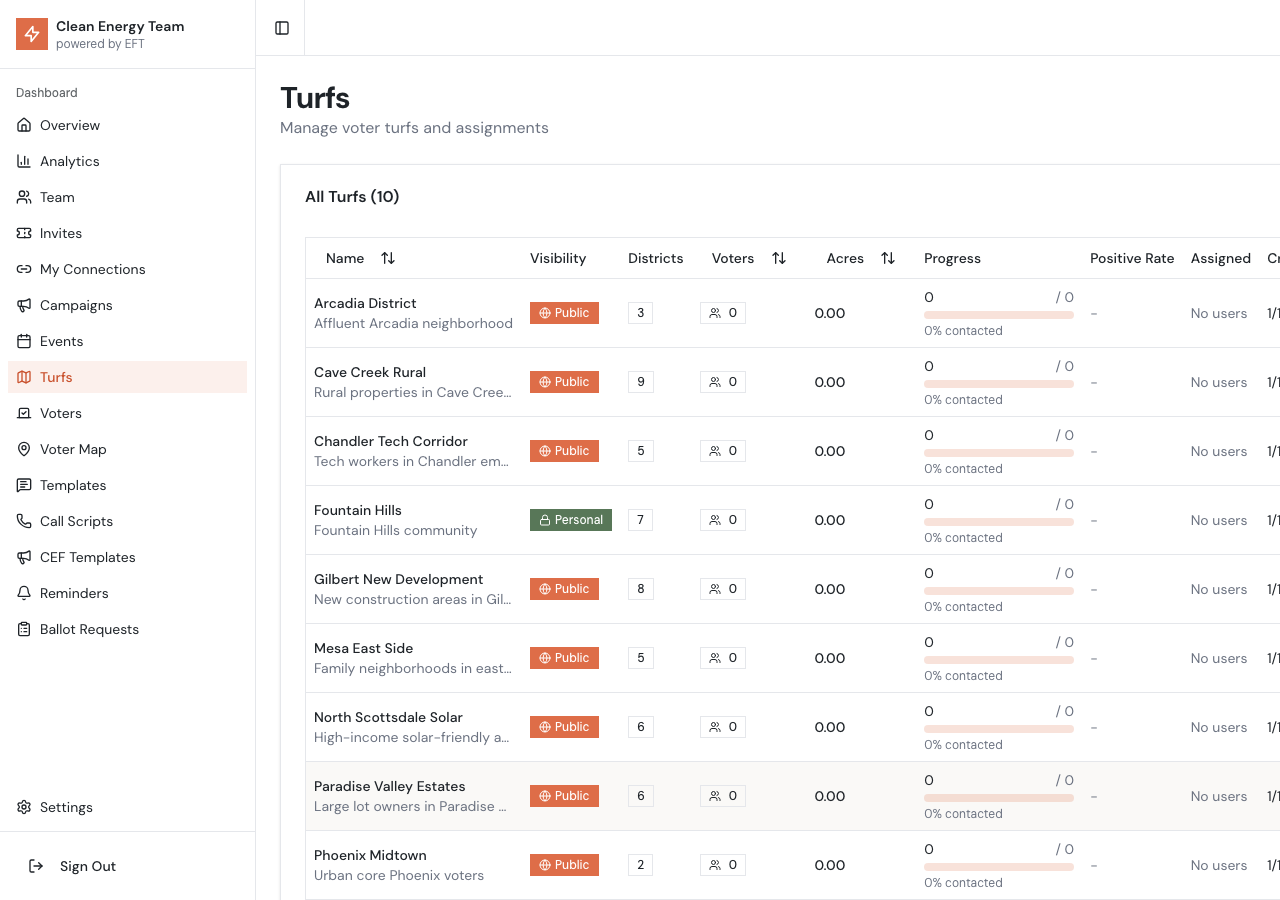
What is a Turf?
Section titled “What is a Turf?”A turf is a subset of voters defined by:
- Geography - A polygon or rectangle drawn on the map
- Filters - Optional criteria like party, contact status, demographics, etc.
Turfs help you:
- Divide territory among canvassers
- Focus on specific neighborhoods
- Target high-priority voters
- Track progress by area
Creating a Turf
Section titled “Creating a Turf”Method 1: Draw on the Map
Section titled “Method 1: Draw on the Map”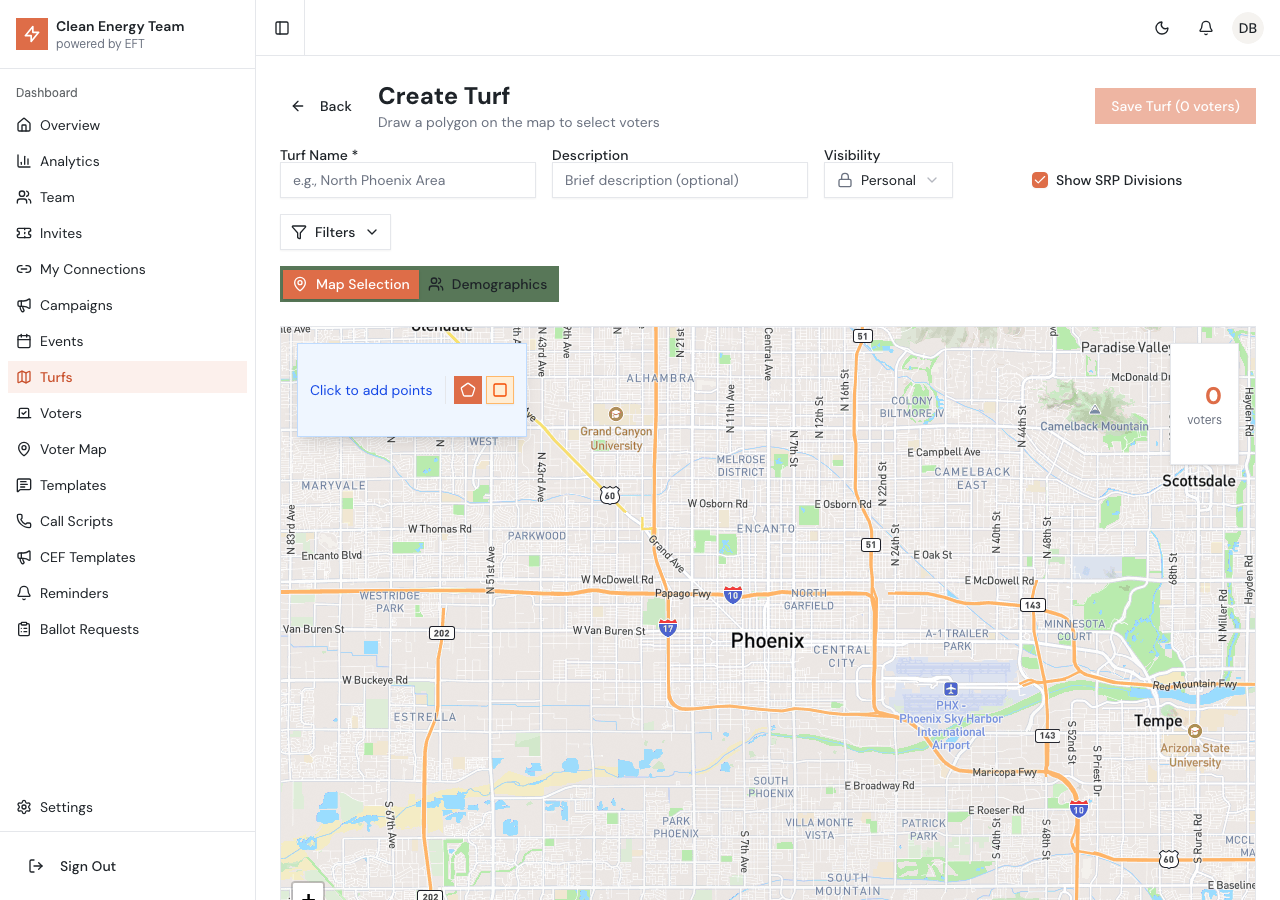
- Go to Turfs in the sidebar and click New Turf
- Enter a name and optional description at the top
- Choose your drawing tool:
- Polygon tool (pentagon icon) - Click to place points, the page subtitle updates to show “Draw a polygon on the map”
- Rectangle tool (square icon) - Click two corners, a live preview outline shows as you move to the second corner
- Apply filters using the Filters button (optional)
- Click Save Turf when done
Method 2: Create from Demographics
Section titled “Method 2: Create from Demographics”Create turfs targeting specific voter demographics without drawing:
- Click New Turf and select the Demographics tab
- Choose demographic criteria:
- Age range - Target specific age groups
- Party affiliation - Democrats, Republicans, Independents
- Property size - Filter by acreage/votes
- Contact history - Never contacted, needs follow-up, etc.
- Review the matching voters count and save
Editing Polygons
Section titled “Editing Polygons”Draggable Points
Section titled “Draggable Points”All polygon and rectangle vertices are always draggable:
- Drag any point to reshape the boundary - works immediately after drawing or when editing an existing turf
- Voter count updates in real-time as you adjust the boundary
- Use the Redraw button to start fresh
- Use the Clear button to remove all points
Using SRP Division Boundaries
Section titled “Using SRP Division Boundaries”The map displays SRP division boundary lines to help you draw turfs that align with official SRP districts. Toggle this overlay with the “Show SRP Divisions” checkbox.
Filter Options
Section titled “Filter Options”Click the Filters button to expand filter options:
| Filter | Options |
|---|---|
| Party | Democratic, Republican, Independent, Other |
| Contact Status | Not contacted, Contacted, Supportive, Opposed, Undecided |
| Votes/Acres | Minimum and maximum range |
| Owner Type | Owners only, Trustees only, or All |
| PEVL Status | On Permanent Early Voter List only |
| Residence | Lives at property only |
| Has Solar | Properties with detected solar panels (from aerial imagery analysis) |
Visual Query Builder
Section titled “Visual Query Builder”For complex filtering needs, use the visual AND/OR query builder:
Building Complex Queries
Section titled “Building Complex Queries”The query builder lets you combine multiple conditions with AND/OR logic:
- AND groups - All conditions must match (e.g., “Democrat AND age 45-65”)
- OR groups - Any condition can match (e.g., “Supportive OR Leaning”)
- Nested groups - Combine AND/OR for complex queries
Example Queries
Section titled “Example Queries”High-Value Undecided Voters
(Party = Democrat OR Party = Independent) AND Contact Status = Undecided AND Votes > 5
Finds undecided voters with significant voting power who aren’t Republicans.
Solar Owners for Energy Message
Has Solar = Yes AND (Contact Status = Not Contacted OR Contact Status = Needs Info)
Targets solar panel owners who haven’t been contacted or requested more information.
Using the Query Builder
Section titled “Using the Query Builder”- Click Query Builder to open the visual editor
- Click Add Condition to add filter criteria
- Select the field, operator, and value for each condition
- Use Add Group to create nested AND/OR groups
- Toggle between AND/OR for each group as needed
- The voter count updates in real-time as you build
Assigning Turfs
Section titled “Assigning Turfs”After creating a turf, assign it to canvassers:
- Open the turf details
- Click Assign Users
- Select one or more users
- Click Save
Assigned canvassers will see these voters in their mobile app and receive a push notification about the new assignment.
Turf Statistics
Section titled “Turf Statistics”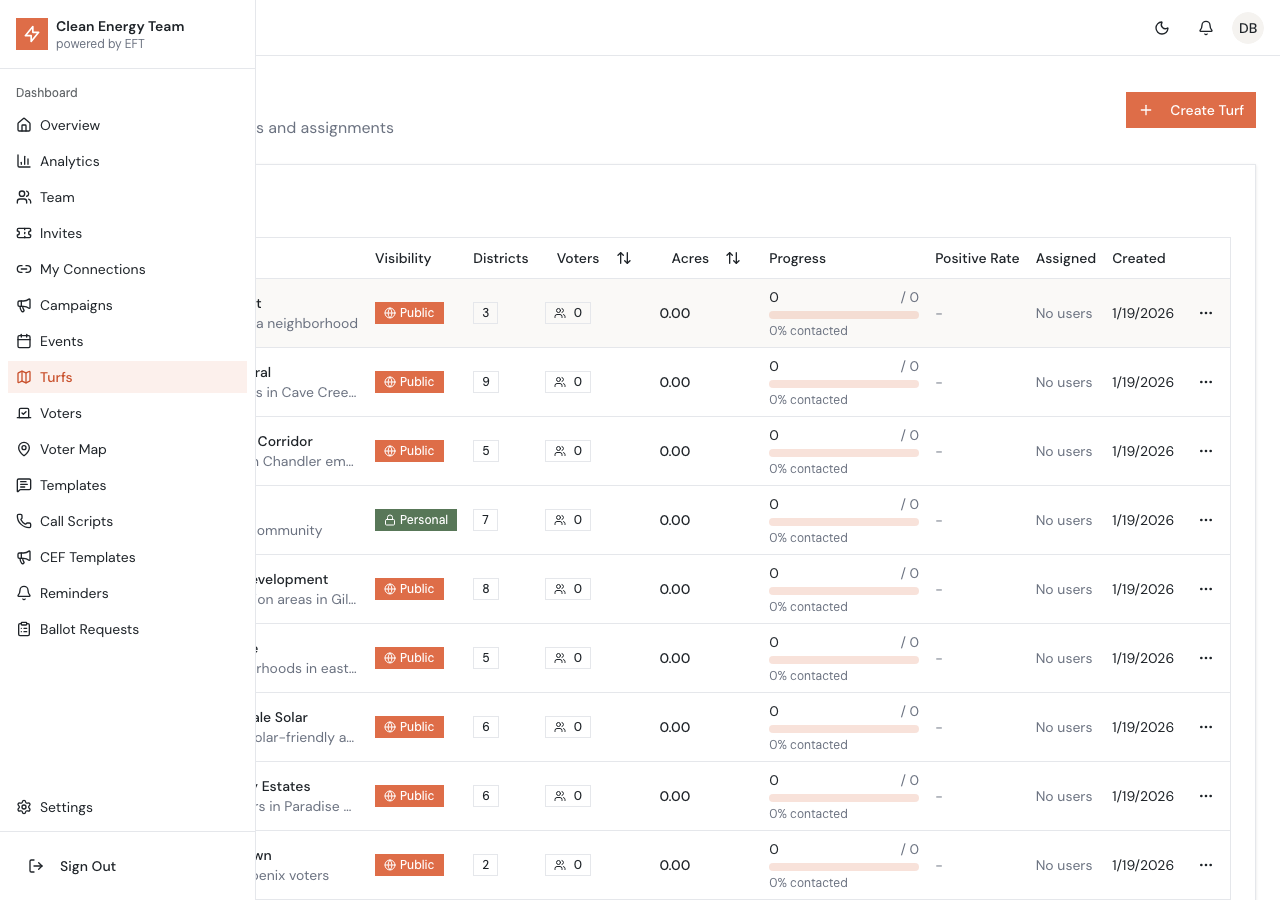
Each turf shows:
- Total voters in the turf
- Contacted - voters with a recorded result
- Support rate - percentage supportive
- Assigned to - which canvassers have this turf
Deleting Turfs
Section titled “Deleting Turfs”To delete a turf from the main list:
- Click the menu button on the turf row
- Select Delete (shown in red with trash icon)
- Confirm the deletion in the dialog
Best Practices
Section titled “Best Practices”Size Matters
Section titled “Size Matters”Aim for 100-500 voters per turf. Too few wastes the grouping; too many is overwhelming.
Logical Names
Section titled “Logical Names”Use names that describe the area: “Rio Verde Foothills”, “McDowell Mountain Ranch - South”
Use Rectangle for Simple Areas
Section titled “Use Rectangle for Simple Areas”The rectangle tool with live preview is faster for neighborhoods with grid-like streets.
Avoid Overlap
Section titled “Avoid Overlap”Try not to overlap turfs. If you must, be aware that voters may show up for multiple canvassers.