
Ballot Requests
Overview
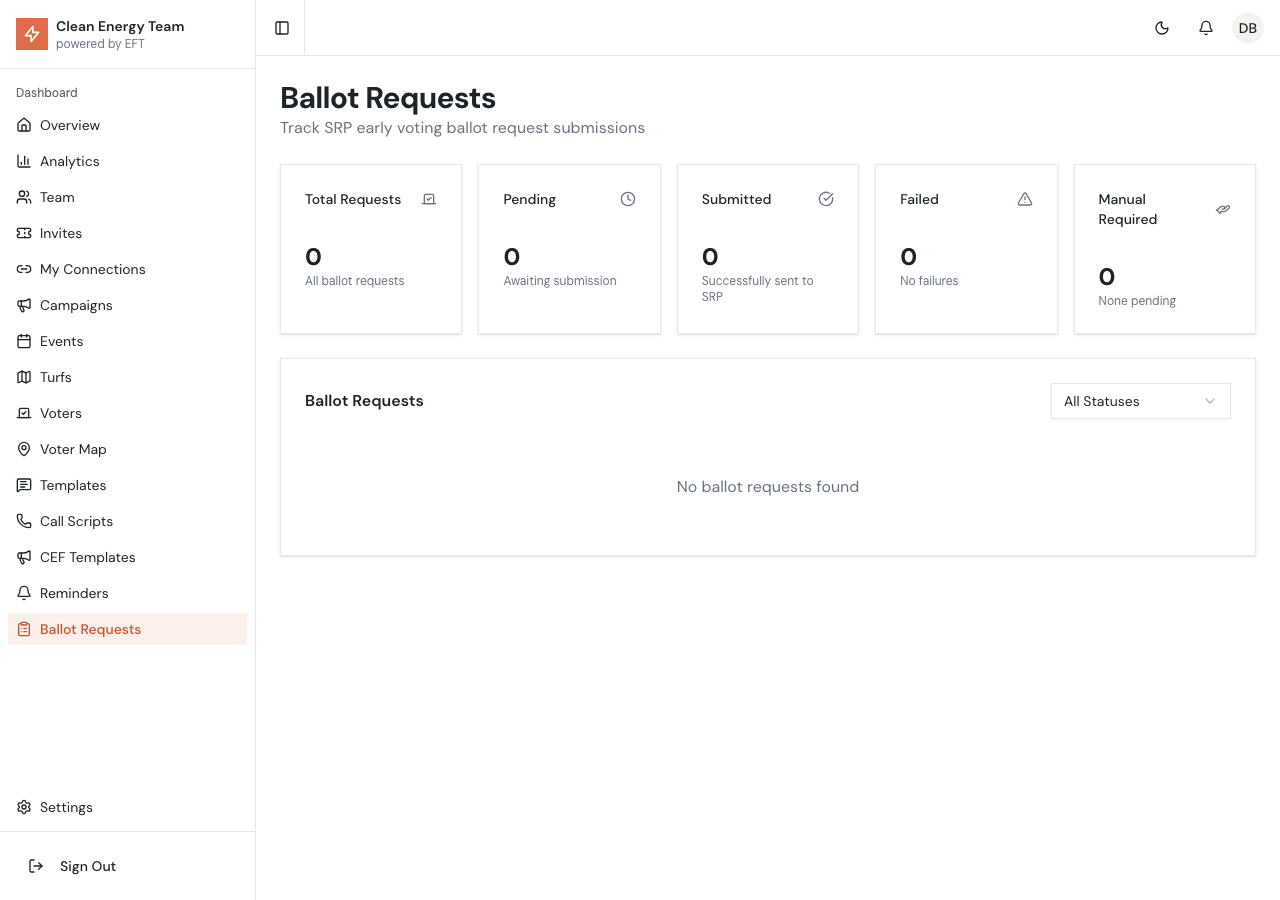
Section titled “Overview”The Ballot Requests page allows you to track the status of early voting ballot requests submitted for SRP elections. When canvassers help voters request ballots through the app, those requests appear here for monitoring and management.
Request Statistics
Section titled “Request Statistics”The top of the page displays key metrics:
| Stat | Description |
|---|---|
| Total Requests | All ballot requests in the system |
| Pending | Requests awaiting submission to SRP |
| Submitted | Successfully sent to SRP |
| Failed | Requests that failed (will retry automatically) |
| Manual Required | Requests needing manual submission |
Request Statuses
Section titled “Request Statuses”Each ballot request goes through a workflow:
Pending
Section titled “Pending”The request has been created but not yet submitted to SRP. These are queued for automatic submission.
Processing
Section titled “Processing”The request is currently being submitted to SRP’s system.
Submitted
Section titled “Submitted”The request was successfully sent to SRP. The voter should receive their ballot according to SRP’s timeline.
Failed
Section titled “Failed”The submission failed (e.g., network error, validation issue). The system will automatically retry failed requests.
Manual Required
Section titled “Manual Required”The request cannot be submitted automatically and needs manual intervention. Common reasons:
- Voter information doesn’t match SRP records
- Address verification failed
- Duplicate request detected
- System integration issue
Request Table
Section titled “Request Table”The table shows all ballot requests with:
- Voter - Name of the voter requesting a ballot
- Voter ID - Unique identifier for the voter record
- Status - Current request status (with color coding)
- Created By - Which user submitted the request
- Created At - When the request was made
- Updated At - Last status update time
Viewing Request Details
Section titled “Viewing Request Details”Click on a request row to see full details including:
- Complete voter information
- Request history and status changes
- Error messages (for failed requests)
- Notes and resolution steps
Handling Manual Requests
Section titled “Handling Manual Requests”When a request shows “Manual Required”:
- Click the request to view details
- Note the voter information and error reason
- Go to SRP’s official ballot request process
- Submit the request manually using voter’s information
- Update the request status in the admin to mark it resolved
Filtering Requests
Section titled “Filtering Requests”Use the filter controls to narrow down the list:
- Status Filter - Show only specific statuses
- Date Range - Filter by creation date
- Search - Find by voter name or ID
Automatic Retry
Section titled “Automatic Retry”Failed requests are automatically retried:
- First retry: After 5 minutes
- Second retry: After 30 minutes
- Third retry: After 2 hours
- After 3 failures: Marked as “Manual Required”
Best Practices
Section titled “Best Practices”Daily Review
Section titled “Daily Review”Check the ballot requests page daily to:
- Monitor submission success rate
- Handle any “Manual Required” requests promptly
- Ensure failed requests are being retried
Timing
Section titled “Timing”- Submit ballot requests early in the voting period
- Allow time for SRP processing and mail delivery
- Track deadline for ballot requests
Accuracy
Section titled “Accuracy”- Verify voter information before submitting requests
- Ensure addresses match SRP records
- Double-check voter eligibility
Troubleshooting
Section titled “Troubleshooting”High Failure Rate
Section titled “High Failure Rate”If many requests are failing:
- Check for system-wide issues
- Verify SRP’s ballot request system is operational
- Review error messages for patterns
- Contact technical support if needed
Duplicate Requests
Section titled “Duplicate Requests”The system prevents duplicate ballot requests for the same voter. If a voter needs to request again:
- Check if a previous request exists
- Verify the previous request status
- Contact SRP directly for duplicate situations